 iOS · Android
Smart Alarm: Wake Up Sharp只有当你真正醒来,才会安静下来的闹钟。
普通闹钟点一下就停了——然后你又睡着了。Smart Alarm 只有在你完成一个小任务之后才会停:大脑没有开机,就不会安静。
接着,如果你愿意,再花几分钟恢复一下:呼吸、眼睛、体态。
应用内容
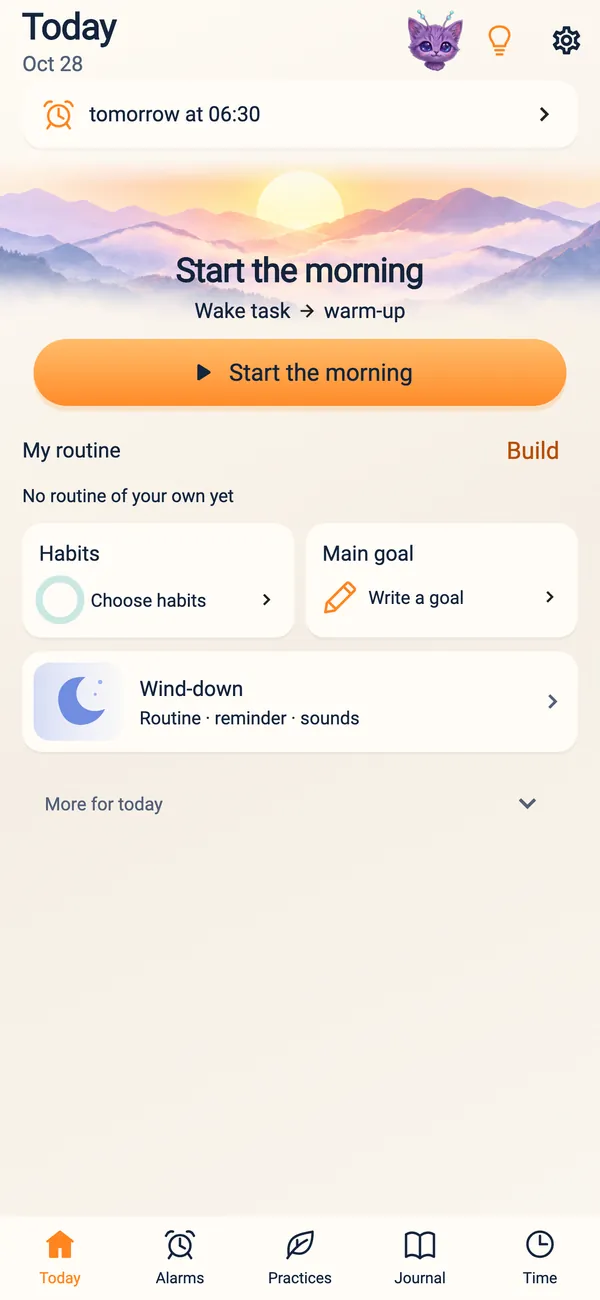
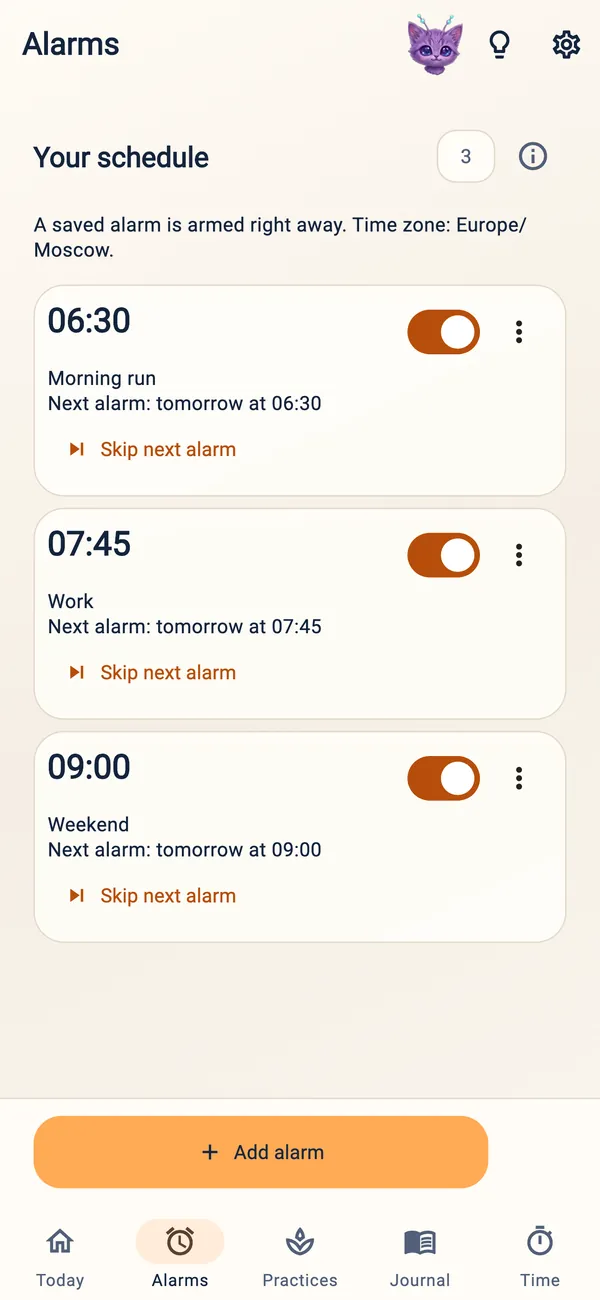
- 10项起床任务,每个闹钟选一项→
- 51项恢复练习,分为 11组→
- 8种助眠声音,可设定时
- 0个账号——一切都留在手机上
全部下载
今天就能安装的全部版本。链接每天自动检查。
- iPhone 和 iPad测试版iPhone 测试版(TestFlight)
- Android正式版在 Google Play 获取
起床任务
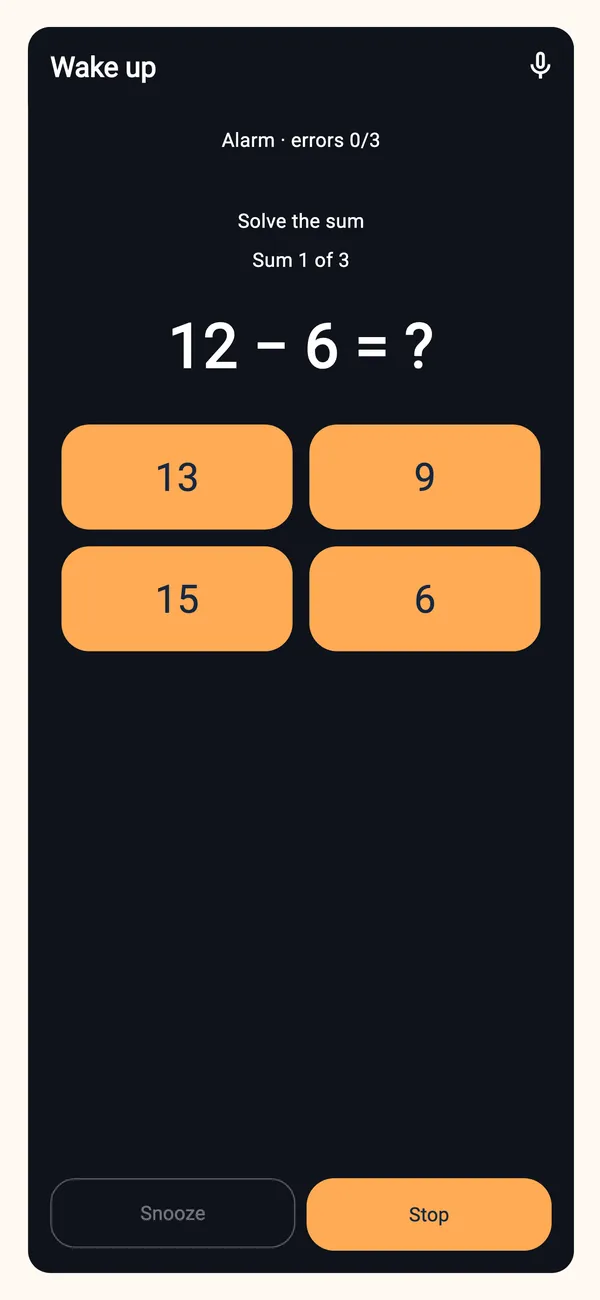
为每个闹钟选一项,也可以让应用随机选择。回合数由你设置。
舒尔特方格
在 3×3 到 6×6 的方格中按顺序找出数字。
按住版舒尔特方格
3×3:数字 1 按住一秒,2 按住两秒,直到 9——共按住 45 秒,再加上寻找的时间。
方向选择
快速反应测试,6 到 12 个回合。
心算
1 到 10 道算式。七个难度档:加法、乘法、除法、a×b±c 连算、平方、开方、方程。
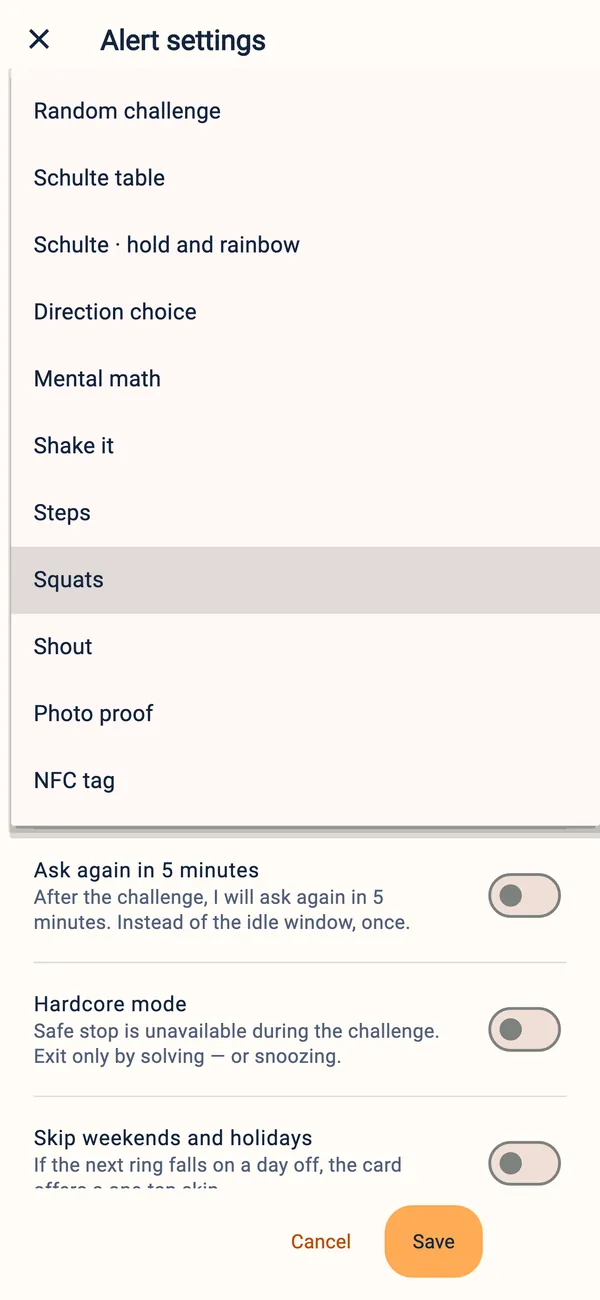
摇晃、走步或深蹲
由运动传感器计数:最多 20 次摇晃,5–60 步,或 3–20 次深蹲——你必须站起来。
大喊
让你的声音保持在某个音量以上,持续 3–10 秒。不会录下任何声音——只测量音量。如果有人睡在你身边,就不适合你。
拍照证明
在闹钟安静之前拍一张照片。照片留在手机上。
NFC 标签
把手机贴到 NFC 标签上。适用于支持 NFC 的手机。
安全
严格,但绝不卡死
- 即使任务没完成,闹钟响铃的时间也绝不会超过你设定的分钟数
- 没有传感器或没有权限——你会改做舒尔特方格,而不会被卡住
- 清醒确认:停掉闹钟五分钟后,一个简短的检查确保你没有再次睡着(可选)
- 快速闹钟:5–60 分钟后响一次的闹钟,用于小睡
睡前
助眠声音和就寝提醒
白噪音、粉红噪音、棕色噪音、雨声、海浪、轻柔放松、颂钵、夜间铺底音——可设 15、30 或 60 分钟定时。闹钟响起时,助眠声音会自动停止。“该睡觉了”的提醒会在你选定的时间出现。
- 闹钟本身的晨间音乐:《黎明》《苏醒》和《律动》
晨间恢复
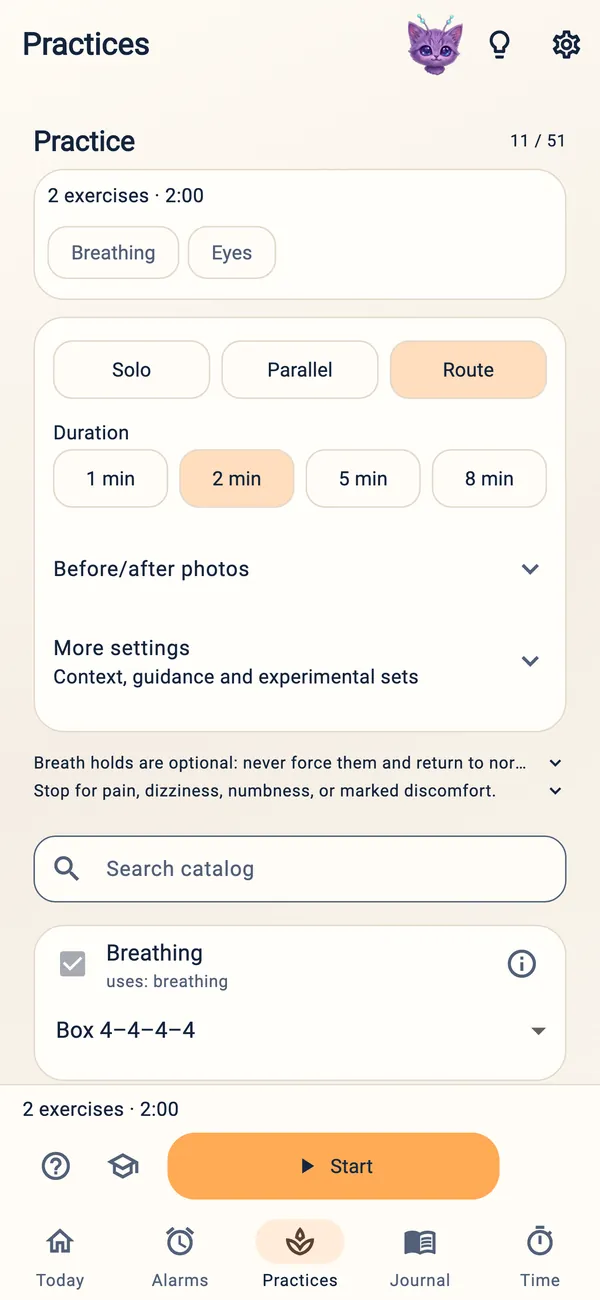
11组共 51项简短练习
呼吸、眼部训练、面部按摩、面部与嗓音、放松、盆底肌、关节活动、体态、等长收缩、腹部、动中觉知。可以一次做一项,也可以同时做,或者按现成的路线做。应用知道哪些可以搭配:需要同一样东西(眼睛、呼吸或全部注意力)的两项练习不会被配在一起。
- 一轮练习从几秒到两分半钟不等
- 可选的振动提示会标出盆底肌和面部按摩练习的各个步骤
习惯
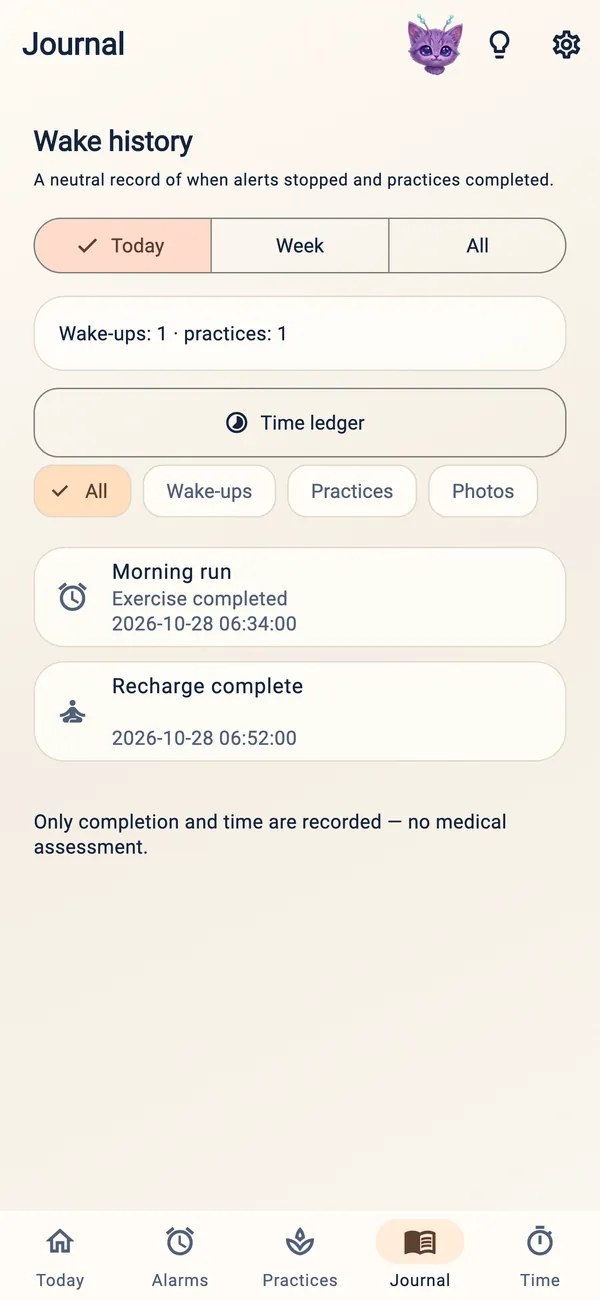
不打分的习惯
用一个复选框就能打卡;“没做到”“跳过”和简短版在条目菜单里,未回答的条目不算失败。每周目标、连续天数和打卡日历让你看到进展;提醒需要单独开启,不会自动打开任何东西。早晨和晚间流程提供主题仪式:早晨 15 个,晚间 14 个。
时间与计划
整整一天,而不只是起床
“时间”标签页里有可并行的计时器、带分段的秒表和专注模式——番茄钟、深度工作或为任务设定时间盒。“今天”连到计划器:你的三件要事或 1–3–5 计划、优先级、看板、收集箱和项目。
- 用语音记录任务——识别在手机上完成,也可以打字输入
- 时间块,可选开始和结束提醒
- 时间日志和每周回顾:做了什么、时间花在哪里、哪些事挪到了别的日子
- “日出”设计,浅色和深色皆可——也可以换回经典样式
Apple Watch
在你的手腕上
手表会显示下一个闹钟,并有两个简短的练习:左右反应小游戏,以及一分钟不憋气的呼吸。
更多截图
适合谁
睡得沉的人
点一下从来都不够的时候。
早起的人
一个能让你下床、而不只是睁开眼的任务。
坐办公室的人
一天开始前,用两分钟照顾眼睛、颈部和呼吸。
培养习惯的人
一本朴素的记录,写下你做了什么,没有积分,也没有连续天数的压力。
坦诚的设计
- 没有账号,无需注册:记录留在你的设备上
- 唯一会离开手机的,是你自己决定发送的错误报告
- 没有健康评分,没有诊断——只有你自己做的标记
- 练习不累积积分:没有什么可以刷
- 如果系统不允许设置闹钟,应用会直接说明
常见问题
如果我完成不了任务怎么办?
无论任务是否完成,闹钟都会在你设定的响铃上限之后停止。如果缺少传感器或权限,你会得到舒尔特方格。
我的声音或照片会被上传吗?
不会。大喊任务只测量音量,不录下任何东西;照片留在手机上。
这些练习属于医疗吗?
不属于。它们是简短的日常练习,不是治疗。带有限制的套组——盆底肌、颈部、面部按摩——会在你开始之前显示其警告。
需要账号吗?
不需要。没有账号;一切都存储在手机上。
更新内容
版本 1.4.3
- Dawn look of its own: the teacher cabinet and the What’s new screen use glass cards on the app gradient with an amber accent; the mode hint speaks about practices and assignments.
- Teacher cabinet: a Student / Teacher switch in Watch and apps — students get the assignments card, teachers get the cabinet entry; cabinet texts in 12 languages.
- Apple Watch: “Refresh Watch connection” now shows when it was checked and a short list — Watch paired, Smart Alarm installed on Watch, sharing on — with a hint on what to do if something is missing.
- Teacher cabinet v2: groups, lessons built from practices, and assignments with due dates; the Today screen shows a “From your teacher” card, Start opens the step's practice, and completion is counted automatically.
- Teacher cabinet: Sign in with Apple is now available on iPhone (next to Google and e-mail).
版本 1.4.2
- Clarified scheduler diagnostics. Existing alarms, habits, journal and settings remain.
- The planner adds manual delegation marks, status history and guarded undo. Kanban preserves card order; Deep Work links to system focus settings without automatically controlling Do Not Disturb.
- Refined Today dark-theme colors and cards. Routine previews show every enabled step and full titles, with a vertical layout on narrow screens.
- If the system cannot confirm cancellation of an auxiliary alarm, its ID is retained for cleanup on the next state refresh. Scheduling and cancellation of auxiliary alarms are now serialized.
- Improved iPhone alarm completion: an already quiet weekly schedule no longer interrupts cancellation of this morning's backup alarms. The next regular alarm remains scheduled.
版本 1.4.1
- Focus offers custom duration, an end sound and custom timebox extensions. Fixed form overflow on narrow screens.
- Move tasks manually between days from the planner or weekly review. Task identity, status and transfer history remain; undo does not overwrite subsequent changes. A full plan never displaces other tasks.
- Capture a GTD task by voice after pressing Start. Recognition stays on-device, with typing available if the microphone is unavailable. Drafts survive closing, and saving protects against duplicates.
- Habits now include weekly goals, streaks, a check-in calendar and separately enabled recurring reminders. Existing items and marks remain; nothing is enabled automatically.
- Time blocks now offer optional start and end notifications. Delivery depends on phone permissions and system limits; these are not wake alarms.